Support
Support built for growth
In Create Build Optimize OS, Support connects escalations, recurring issues and trends to the accounts and deals they affect. Teams resolve problems faster, and leaders see patterns before they turn into churn.
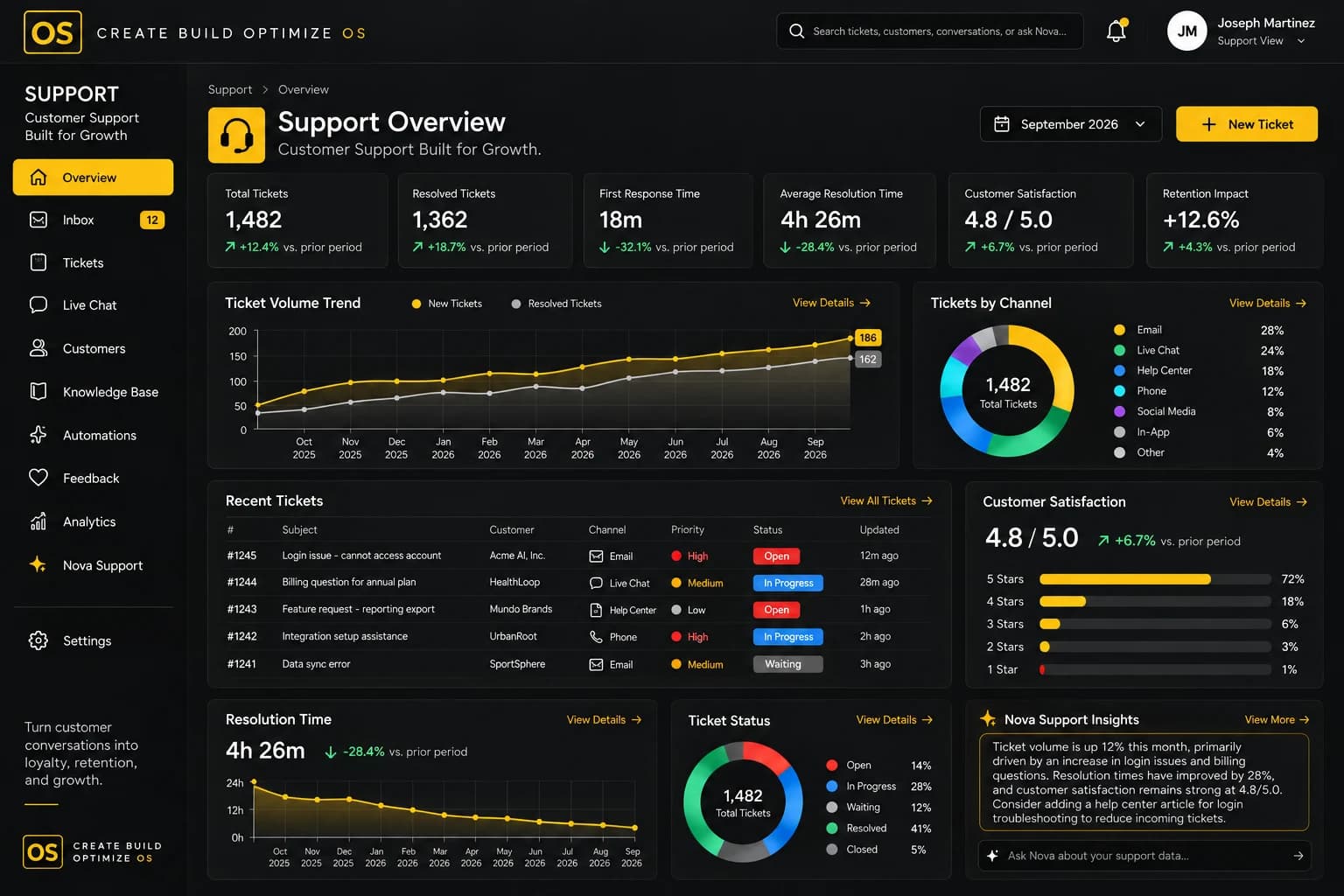
Key features
What Support gives you.
Everything below works on the same connected data as the rest of Create Build Optimize OS.
Escalations
Route urgent issues to the right people and keep every escalation visible until it is closed.
Recurring issues
Spot problems that keep coming back, so the fix happens once instead of many times.
Trends
See volume and themes over time to understand what customers need.
Connected to Accounts
Every issue lives with its account, so the whole team sees the full context.
Sales context
See open deals and renewals while helping a customer.
NOVA triage
NOVA helps prioritize issues and suggests who should act next.

How NOVA helps
Support, with intelligence built in.
Examples of what NOVA can surface. Meaningful execution stays subject to human approval.
Support volume spike
A recurring issue is affecting several accounts, and NOVA suggests who should look first.
An escalation is waiting on another team
NOVA connects the issue with the owner who can move it forward.
A recurring issue has stopped
Trends show the fix is working, so the team can close the loop.
Use cases
How teams use Support.
- 01
Handle an escalation
Bring the right people together with the account and deal context already in view.
- 02
Find the root of a recurring issue
Group related tickets to see what keeps happening and why.
- 03
Protect a renewal
Show account and sales teams which customers are struggling before a renewal.
See it in action
See Support in action.
A short look at the module at work.
Works with
Connected to the rest of the OS.
Modules share one data foundation, so context flows between them.
Testimonials
What teams say about Support.
“Support issues are tied to the accounts they affect, so we see patterns early and the account team is never caught off guard.”
Tomás RibeiroHead of Support · Copperleaf Example SupportSample
FAQ
Support questions.
Support handles escalations, recurring issues and trends, and connects them to accounts and deals. How it fits next to your current tools is something we walk through in a demo.
Issues are linked to accounts, so sales and account teams can see customer problems before a renewal or a call.
NOVA surfaces what changed, highlights spikes and recommends next steps. People decide how to respond.
Access is role-based, so each person sees only what they are permitted to see.
Get started
See Support in action.
Request a demo and we'll show you how Support fits into your operating system.