Command
Executive decision cockpit
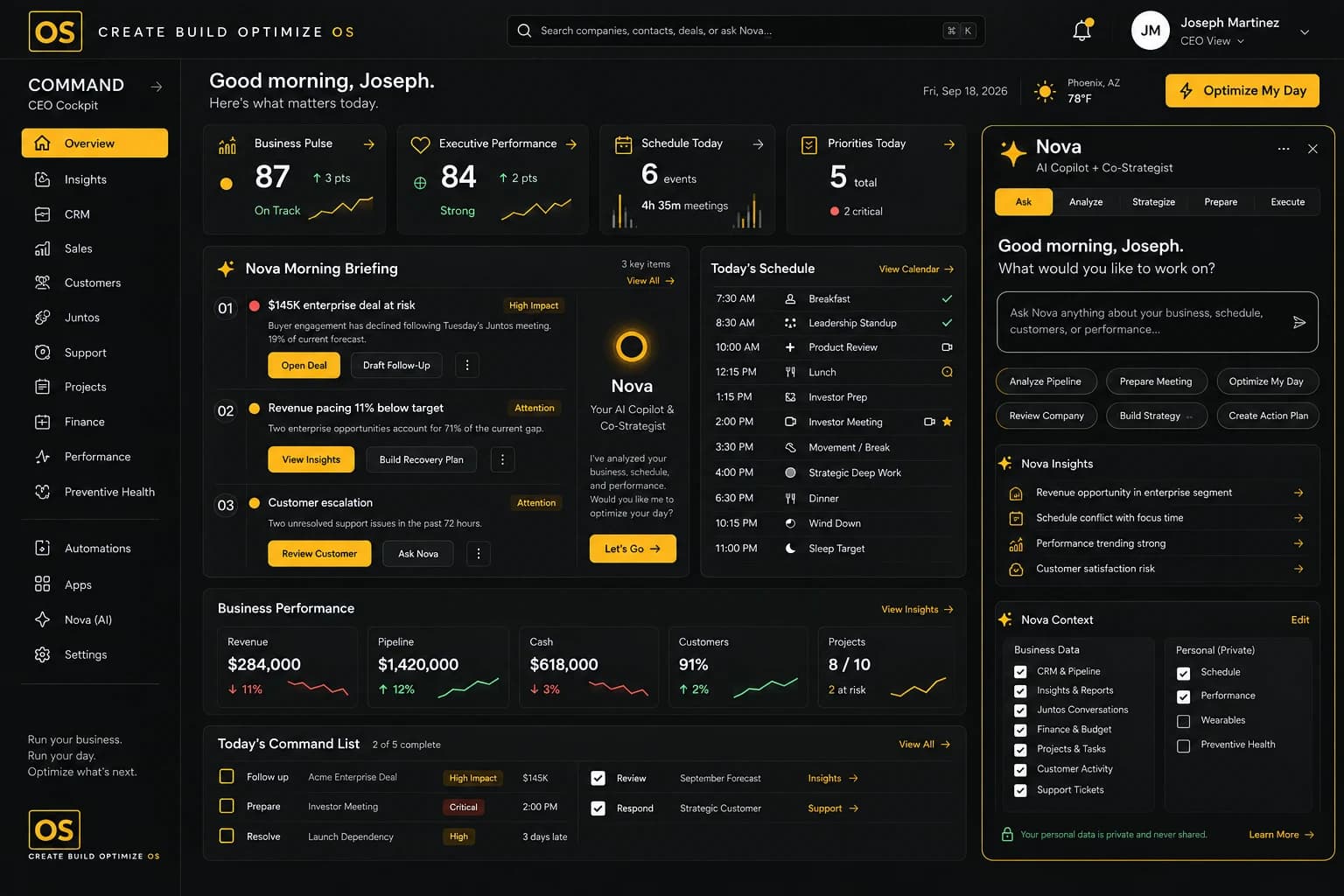
Command is the executive decision cockpit of Create Build Optimize OS. It brings the pulse of the whole business into one view, and NOVA turns that context into a morning briefing, clear priorities and decisions ready for approval.
Key features
What Command gives you.
Everything below works on the same connected data as the rest of Create Build Optimize OS.
Unified business pulse
See customers, revenue, people, projects and capital together instead of switching between tools.
NOVA morning briefing
Start the day with a summary of what changed, what matters and what needs attention first.
Decision center
Keep open decisions in one place, each with context, an owner and a due date.
Approvals
Review and approve the actions NOVA recommends. Meaningful execution stays with people.
Priorities and tasks
Turn signals into ranked priorities and tasks that route to the right owner.
Executive schedule
Plan the day around the priorities that matter, with meetings and follow-ups side by side.

How NOVA helps
Command, with intelligence built in.
Examples of what NOVA can surface. Meaningful execution stays subject to human approval.
Revenue pacing below target
NOVA connects Sales, Marketing and Ledger data to explain why, and suggests where to look first.
Projects at deadline risk
Owners and workload from Management show where the schedule is most likely to slip.
Investor update ready to share
Insights has the latest KPIs prepared, so the update can go out after one review.
Use cases
How teams use Command.
- 01
Start the day informed
Founders open Command, read the NOVA briefing and know what needs them today.
- 02
Run the weekly leadership review
Share one live view of the business so the meeting focuses on decisions, not on collecting updates.
- 03
Keep approvals moving
Route requests to the right person, see what is waiting and keep a clear record of what was approved.
See it in action
See Command in action.
A short look at the module at work.
Works with
Connected to the rest of the OS.
Modules share one data foundation, so context flows between them.
Testimonials
What teams say about Command.
“I open Command, read the NOVA briefing and know what needs me before my first meeting. It replaced three tabs and a lot of guessing.”
Maya LindqvistFounder and CEO · Northlight Example CommandSample“As chief of staff I used to chase updates. Now priorities, approvals and follow-ups are in one place and everyone can see where things stand.”
Chloe BennettChief of Staff · Lumenwick Example CommandSample
FAQ
Command questions.
Founders, CEOs and executives who need a single view of the business and a clear list of decisions. Other roles can get access based on their permissions.
From the other Create Build Optimize OS modules, such as Sales, Ledger and Management. Command shows what those modules already know, so nothing needs to be entered twice.
No. NOVA recommends actions and prepares them for review. Meaningful execution stays subject to human approval.
Command works best when it can draw on other modules. Modules can be used independently or together as the full operating system.
Get started
See Command in action.
Request a demo and we'll show you how Command fits into your operating system.