Sales
Turn conversations into revenue
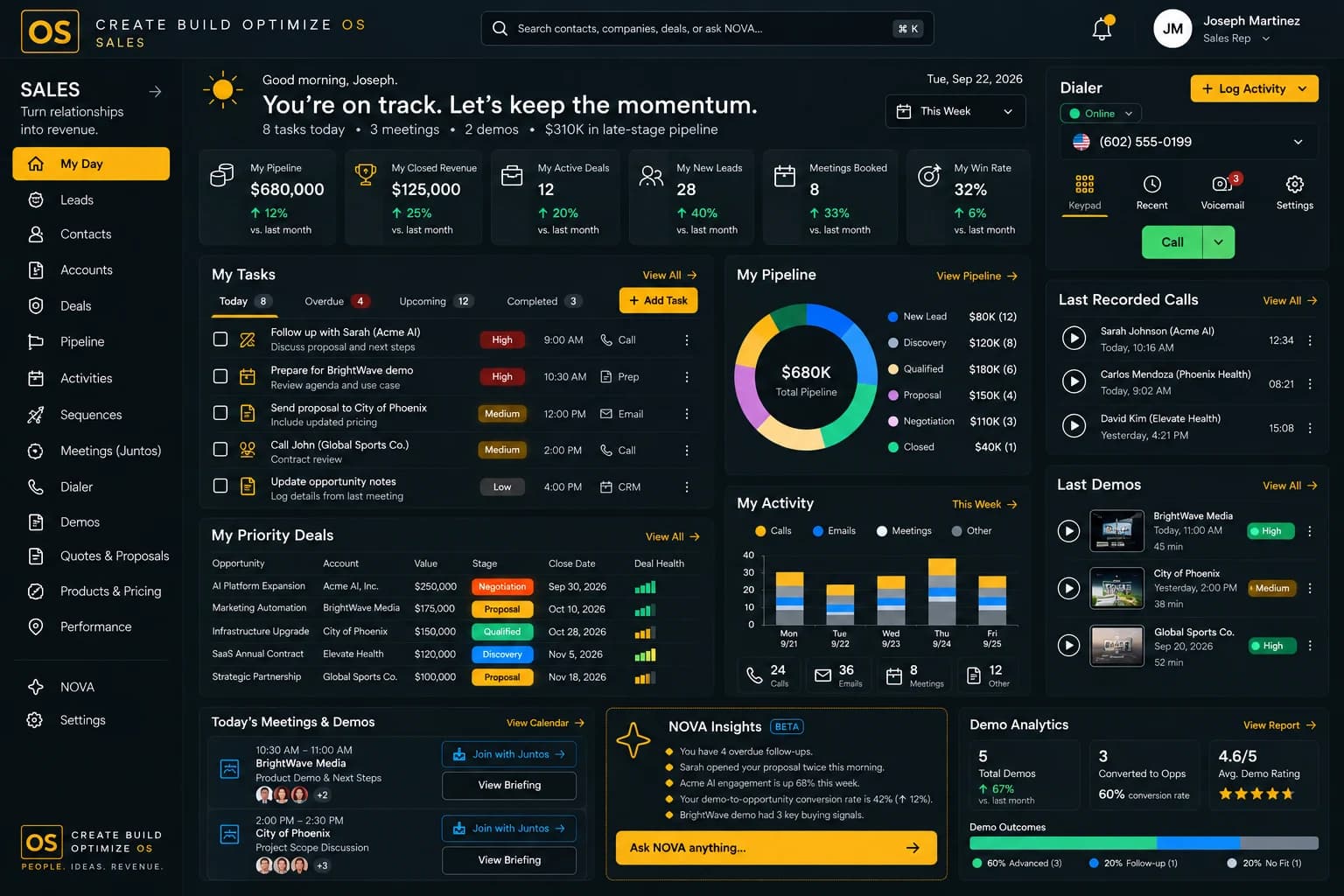
In Create Build Optimize OS, Sales brings pipeline, CRM, calls and meetings into one workspace. NOVA reads the context around each deal and suggests the next best action, so teams spend their time selling instead of searching for information.
Key features
What Sales gives you.
Everything below works on the same connected data as the rest of Create Build Optimize OS.
Pipeline management
Track every opportunity by stage, owner and next step in one clear pipeline.
CRM and contacts
Keep customer records, conversations and history connected to the deals they belong to.
Calls and meetings
Log calls and meetings with their notes, so context stays with the deal.
Next best actions
NOVA suggests what to do next on each deal, based on activity and context.
Follow-up tracking
See which deals are waiting on a response and who owns the next follow-up.
Revenue visibility
Connect pipeline to Marketing and Ledger so revenue is easier to forecast and explain.

How NOVA helps
Sales, with intelligence built in.
Examples of what NOVA can surface. Meaningful execution stays subject to human approval.
Enterprise deal with no recent activity
NOVA spots deals that have gone quiet and suggests a follow-up.
Proposal waiting on legal review
Contracts and Sales context show where a proposal is stuck.
Champion changed roles
NOVA flags contact changes that could put a deal at risk.
Campaign feeding the pipeline
Marketing and Sales data show which campaign is producing qualified conversations.
NOVA Voice Translation
Sell across languages.
NOVA translates live sales calls in real time, with captions, translated audio and a dual-language transcript.

Use cases
How teams use Sales.
- 01
Run a focused pipeline review
Walk through deals by stage with history and next steps already in front of you.
- 02
Prepare for a customer meeting
See past conversations, open items and context in one place before you join the call.
- 03
Hand over deals cleanly
When ownership changes, the full story moves with the deal.
See it in action
See Sales in action.
A short look at the module at work.
Works with
Connected to the rest of the OS.
Modules share one data foundation, so context flows between them.
Testimonials
What teams say about Sales.
“Our pipeline reviews are shorter because every deal shows its history and a suggested next step. Nothing quietly goes cold anymore.”
Daniel OkaforVP of Revenue · Brightfield Sample Co. SalesSample
FAQ
Sales questions.
Sales includes CRM capabilities and is connected to Marketing, Support, Ledger and the rest of Create Build Optimize OS. That shared context is what sets it apart from a standalone CRM.
NOVA analyzes authorized data around each deal, surfaces what changed and recommends next steps. People decide what to do.
No. Modules can be used independently or together as the full operating system.
Access is role-based, so each person sees only what they are permitted to see.
Get started
See Sales in action.
Request a demo and we'll show you how Sales fits into your operating system.